Schema Markup for AI Search: A Practical Guide
Schema markup for AI search helps describe your content in a structured, machine-readable format. It can identify an article’s author, publisher, headline and publication date. However, Google does not require special schema for AI Overviews or AI Mode, and adding structured data does not guarantee an AI citation.
If you use WordPress with Rank Math, you can configure basic article markup without manually editing your theme. The useful work is choosing an appropriate schema type, checking the information it contains and testing the published page.
This SEO Tips Daily guide explains how to do that, where schema fits into AI search visibility and which mistakes to avoid.
Quick Takeaways
- Choose schema that accurately describes the page.
- Use Article → Blog Post for a typical educational blog article.
- Keep author, publisher, dates and images accurate.
- Check Rank Math’s existing output before adding custom JSON-LD.
- Validate the published URL with Google’s Rich Results Test and Schema Markup Validator.
- Treat schema as one part of technical SEO, alongside accessible content and useful information.
What Is Schema Markup for AI Search?
Schema markup is structured data that gives explicit labels to information on a webpage. Instead of leaving a system to infer whether a name represents an author, publisher or product, markup describes that relationship.
Schema.org provides the vocabulary used for many of these descriptions. JSON-LD is a common format for adding the vocabulary to a page.
For example, a blog post might describe:
- The article’s headline.
- The person who wrote it.
- The organization publishing it.
- Its original publication date.
- Its representative image.
- The webpage where it appears.
Google’s introduction to structured data explains how markup helps it understand page content and can support eligible search appearances.
Think of your article as the information readers consume and schema as a set of labels describing that information. Both should tell the same story.
Does Schema Markup Help You Appear in AI Answers?
Schema can provide explicit context, but you should distinguish that purpose from claims about guaranteed AI visibility.
Google’s guidance on AI features and websites says there is no special Schema.org markup required for AI Overviews or AI Mode. Established SEO practices remain relevant.
For other AI platforms, avoid assuming that every crawler processes JSON-LD in the same way or uses it to select citations. A claim that one schema type automatically increases ChatGPT or Perplexity mentions needs platform-specific evidence.
A sensible approach is to make your content useful, accessible and accurately described. Provide clear answers, explain your reasoning and cite reliable sources where appropriate.
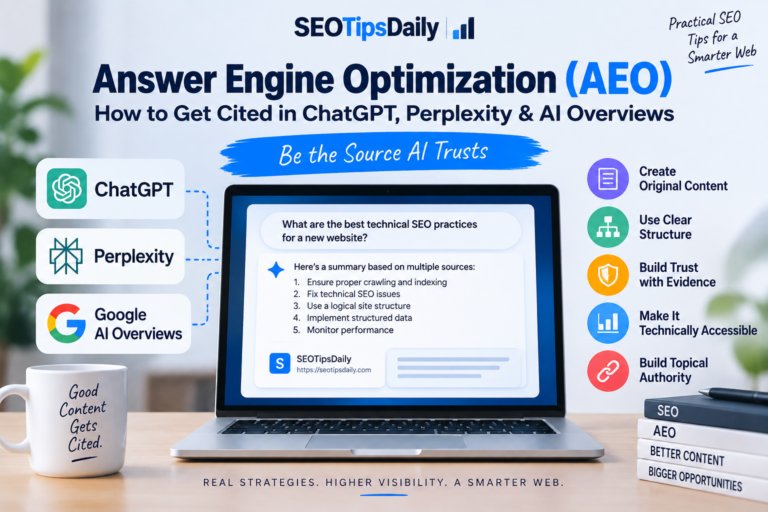
Our Answer Engine Optimization guide explains the broader work involved in making content easier to discover and understand.
What Schema Cannot Fix
Adding markup will not repair an article that contains inaccurate information or fails to answer the reader’s question.
Before changing schema, ask:
- Can visitors access the complete article?
- Does it answer the topic promised by the title?
- Are examples and instructions specific enough to follow?
- Is the author clearly identified?
- Does the page contain information worth referencing?
These checks help you prioritize improvements that readers can actually use.
Which Schema Types Should You Use?
Choose schema based on what your page contains. An article discussing ecommerce is still an article; it does not become a Product page simply because it mentions products.
| Schema type | Suitable use |
|---|---|
| Article / BlogPosting | Educational articles, tutorials and blog posts |
| Person | Identifying an individual author |
| Organization | Identifying a publisher or organization |
| BreadcrumbList | Describing a page’s position in the site hierarchy |
| Product | A page describing an actual product |
| LocalBusiness | Describing an actual local business |
The BlogPosting definition describes a blog post as a specific type of Article. For a guide like this one, BlogPosting is an appropriate choice.
The Organization definition provides properties for describing an organization, including its name and URL.
Several types can legitimately appear together. A blog post may reference its author and publisher while also including breadcrumbs. The important question is whether those entities and relationships are accurate.
Keep Author and Publisher Separate
The author creates the article; the publisher publishes it. They may represent different entities.
For example, a named contributor could write an article published by SEO Tips Daily. Use the actual contributor’s name rather than replacing it with the website name merely for convenience.
An informative author profile also helps readers understand who is responsible for the content. Our E-E-A-T checklist covers practical ways to make authorship and supporting evidence clearer.
How to Set Up Schema Markup for AI Search with Rank Math
Start by checking what Rank Math already generates. You may only need to correct the existing Article schema rather than add another schema block.
1. Enable the Schema Module
In your WordPress dashboard, open:
Rank Math SEO → Dashboard → Modules
Enable the Schema module if it is disabled.
2. Open the Post’s Schema Settings
Edit your article, open the Rank Math panel and select the Schema tab.
If Article schema already appears, edit that item. Otherwise, open Schema Generator, choose Article and select Blog Post as the article subtype.
Rank Math’s Article schema instructions explain these settings and the available fields.
3. Check the Headline and Description
Use a headline that accurately describes the article. You can enter the visible post title directly.
Rank Math also supports these variables:
%seo_title%pulls the SEO title.%seo_description%pulls the SEO description.
Check the resulting values rather than assuming a default template produces the wording you want.
4. Check the Supporting Information
Verify the WordPress author, publication date and featured image. Inspect the generated markup to confirm that the information is represented correctly.
Google’s Article structured data documentation recommends relevant properties such as headline, author, dates and image. It does not list required Article properties, so focus on supplying applicable, accurate details.
Choose an image that represents the article. Make sure the author’s name matches the visible byline and that dates reflect real publication or editing activity.
For wider configuration options, refer to Rank Math’s schema setup guide. Advanced customization features can differ between Free and PRO.
A Simple JSON-LD Example Explained
JSON-LD describes information using named properties. You do not need to write it manually for every post, but understanding the structure makes troubleshooting easier.
The following is an educational example using placeholder details. It is intended for display in a Code block, not installation as this article’s live markup.
{
  "@context": "https://schema.org",
  "@type": "BlogPosting",
  "headline": "How to Check Your Website's Structured Data",
  "description": "A practical guide to reviewing and validating website schema.",
  "mainEntityOfPage": {
    "@type": "WebPage",
    "@id": "https://example.com/check-structured-data/"
  },
  "author": {
    "@type": "Person",
    "name": "Example Author"
  },
  "publisher": {
    "@type": "Organization",
    "name": "Example Publisher",
    "url": "https://example.com/"
  },
  "inLanguage": "en"
}
Here is what the main fields mean:
- @context: Identifies the vocabulary.
- @type: Describes the content type.
- headline: Names the article.
- mainEntityOfPage: Connects the article to its webpage.
- author: Identifies who wrote it.
- publisher: Identifies who published it.
A production implementation should use real details and applicable properties, including actual dates and a representative image.
If Rank Math already generates BlogPosting markup, use its settings to manage that information. Pasting another independent version into your theme can make maintenance harder, especially when the two versions disagree.
How to Validate Your Schema Markup
Test the published page after making changes. An editor’s settings do not always reveal the final output produced by plugins, themes and caching.
Use Google’s Rich Results Test
Open the Rich Results Test, enter your published URL and run the test.
Review the supported items it detects and investigate reported issues. This tool checks Google-supported rich-result markup; it is not a complete test of every Schema.org type or a predictor of AI citations.
Use Schema Markup Validator
Next, test the same URL with Schema Markup Validator.
Use it to review the Schema.org entities and properties on the page. Compare the detected author, publisher and article details with what readers see.
The tools serve different purposes, so their results may differ without indicating a contradiction.
Inspect the Page Source
Open the published page, view its source and search for:
application/ld+json
Look for incorrect names, outdated URLs or conflicting article descriptions. If a change is missing, clear the relevant cache and test again.
Multiple JSON-LD blocks are not automatically a problem. Investigate whether they describe distinct entities or provide incompatible information about the same one.
Common Schema Mistakes to Avoid
Most schema problems come from inaccurate information, unsuitable types or overlapping configurations.
Adding Unsupported Claims
Do not invent review scores, awards, qualifications or business details to make markup appear more impressive.
Google’s structured data policies require markup to represent the page accurately. Useful information should be supported by the content readers can access.
Choosing the Wrong Main Type
Use BlogPosting for a blog guide, Product for an actual product page and a suitable business type for real business information.
Choose the type that describes the page’s purpose rather than whichever type seems likely to attract attention.
Leaving Conflicting Plugin Output
If you use Rank Math alongside another schema plugin or a theme with built-in markup, inspect their combined output.
For example, one system might identify the author correctly while another uses an old account name. Resolve the disagreement at its source.
Treating Validation as a Visibility Promise
A technically valid result means the tested markup passed relevant checks. It does not prove that Google will display a particular feature or that an AI platform will cite the page.
Keep validation, indexing and performance measurement as separate checks.
How to Monitor Results After Updating Schema
Record what changed and when. This gives you a useful reference when reviewing the page later.
A simple maintenance log can include:
- The page URL and update date.
- The schema settings changed.
- Validation results.
- Any content or template changes made at the same time.
Use Search Console to review indexing and search performance. Google reports AI Overviews and AI Mode traffic within its overall Web performance data, so that report does not isolate the effect of your schema changes.
Review identifiable AI referral traffic in analytics where available. Treat it as one observation rather than a complete measure of AI visibility.
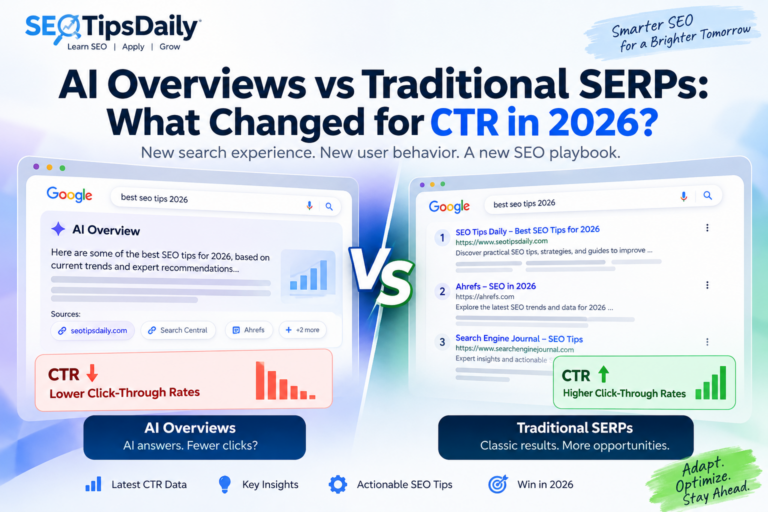
Our article on AI Overviews and traditional SERP click-through rates provides additional context for interpreting search performance.
Frequently Asked Questions
Is Schema Required for Google AI Overviews?
No. Google does not require special schema for AI Overviews or AI Mode.
Use appropriate structured data to describe your content, while continuing to improve accessibility, accuracy and usefulness.
Is Rank Math Free Enough for Basic Article Schema?
Yes. Rank Math Free supports basic Article schema, which is a suitable starting point for standard blog posts.
You do not need advanced custom schema features merely to identify an educational article as a BlogPosting.
Should You Add FAQ Schema to Every Article?
No. Include visible FAQs when they answer useful reader questions; do not add them solely to trigger a search feature.
Google’s documentation update log states that FAQ rich results stopped appearing from May 7, 2026. FAQPage remains a Schema.org type, but its existence does not imply current Google rich-result support.
Does Valid Schema Guarantee AI Citations?
No. Valid schema does not guarantee AI citations, rankings or traffic.
It describes your content. Whether a platform discovers, selects and references that content depends on its systems and the query being answered.
Your Next Step
Start with one existing article rather than changing every page at once. Check its visible author, title, image and dates, review its Rank Math schema and validate the published URL.
Schema markup for AI search is most useful when it accurately describes content that already serves readers well. Build that foundation, fix inconsistencies and maintain it as your website changes.